A PAYG calc converts your gross wage or salary into an estimated take-home figure by applying the ATO's pay as you go withholding schedules to the pay cycle you are actually paid on. Enter what you earn before tax, pick weekly, fortnightly or monthly, and the tool returns the tax your employer should withhold and the amount you can expect to be paid.
This guide is for employees, casuals, people juggling two jobs, and anyone checking whether a payslip looks right. It is also useful before you accept an offer, negotiate a pay rise, or work out whether an extra shift is worth the travel.
PAYG withholding is not a separate tax. It is the collection method the ATO uses so income tax arrives across the year rather than in one lump at lodgment. Your employer applies a withholding schedule to each payment, sends the amount to the ATO, and reports it through Single Touch Payroll. At the end of the year, the ATO compares everything withheld on your behalf with the tax actually payable on your assessable income, then issues a refund or a bill for the difference.
That difference is where most confusion starts. A calculator working from gross pay alone cannot see your work deductions, your private health cover status, or the three months you spent between jobs. It gives you a withholding estimate, not an assessment.
The sections below cover what you need before you start, how the maths runs from gross to net, how to enter wage and salary figures correctly, how the ATO's own estimator compares, and the rates that apply for 2026-27. You can run your own numbers through the Deductit pay calculator as you read, and browse the wider set of Australian tax calculators if you need superannuation or study loan figures as well.
Key takeaways
- A PAYG calc estimates the tax your employer withholds from each pay and the net amount that lands in your bank account, using the ATO withholding schedules that apply to your pay cycle.
- Gross pay is your wage or salary before tax. Net pay is what remains after PAYG withholding, the Medicare levy, any study and training loan repayment, and any amounts you have authorised such as salary sacrifice.
- Superannuation guarantee contributions sit on top of your gross pay in most modern awards and contracts, so they do not reduce your take-home figure unless you have arranged salary sacrifice.
- The ATO tax withheld estimator and employer tax tables are the primary sources for withholding amounts. A year-end assessment can still differ because withholding ignores deductions, offsets and part-year work.
- Keep payslips, your annual income statement in myGov, and deduction receipts so the figures you estimate during the year match the ones the ATO prefills at lodgment.
What a PAYG Calc Tool Does for Australian Workers
A PAYG calculator does three jobs for Australian workers: it checks a payslip, it forecasts a future pay packet, and it shows the cost of a change such as moving from casual to permanent or adding salary sacrifice. Before you start, gather your gross pay amount, your pay frequency, whether you have claimed the tax-free threshold with that employer, whether you have a HELP or other study and training loan, and your private health insurance status for Medicare levy surcharge purposes.
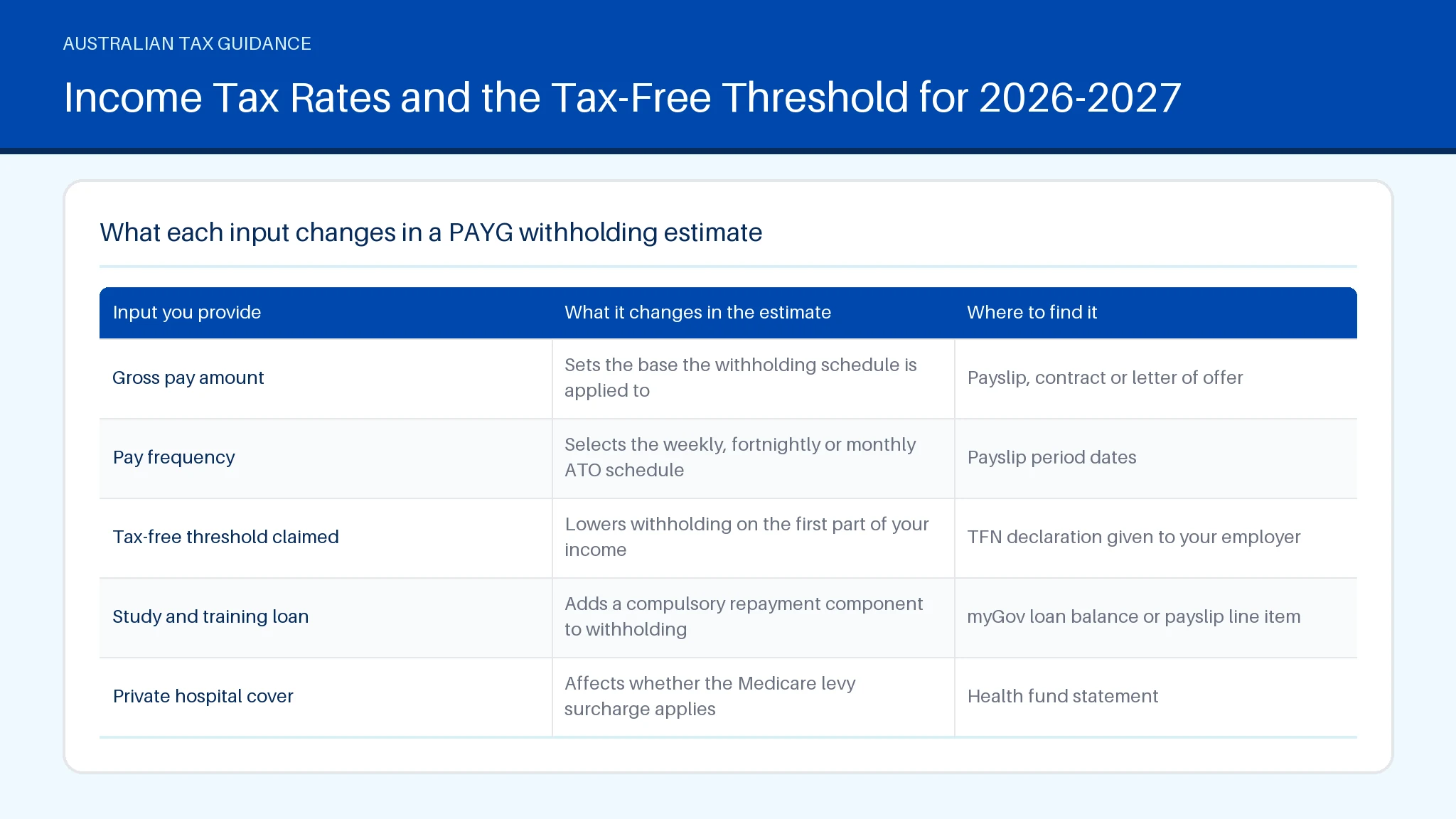
Those five inputs decide almost everything. The table below sets out what each one changes.
| Input you provide | What it changes in the estimate | Where to find it |
|---|---|---|
| Gross pay amount | Sets the base the withholding schedule is applied to | Payslip, contract or letter of offer |
| Pay frequency | Selects the weekly, fortnightly or monthly ATO schedule | Payslip period dates |
| Tax-free threshold claimed | Lowers withholding on the first part of your income | TFN declaration given to your employer |
| Study and training loan | Adds a compulsory repayment component to withholding | myGov loan balance or payslip line item |
| Private hospital cover | Affects whether the Medicare levy surcharge applies | Health fund statement |
One input people often forget is the second job. Only claim the tax-free threshold from one payer at a time, otherwise too little is withheld overall and the shortfall appears at lodgment.
How the PAYG Calc Works Out Your Take-Home Pay
The PAYG calc annualises your pay, applies the resident income tax rates, adds the Medicare levy and any study loan repayment, then divides the result back down to your pay cycle. That annualisation step is why a single large pay, such as a period with heavy overtime, can be taxed at a higher rate than your usual pay: the schedule treats that period as if it repeated all year.
The sequence runs through five steps, in this order:
- Reduce gross pay by any pre-tax salary sacrifice amount.
- Annualise the remaining figure using the number of pays in a year.
- Apply the marginal tax rates and the tax-free threshold if claimed.
- Add the Medicare levy and any compulsory study and training loan repayment.
- Divide back to the pay period and round to the withholding schedule amount.
Employers use the same logic through their payroll software, which is also where PAYG amounts flow into activity statement reporting, covered on the guide to coding GST and checking BAS labels.
Gross Pay Versus Net Pay: What Comes Out in Between
Gross pay is the full amount your employer agrees to pay you for the period. Net pay is what reaches your account after everything your employer is required or authorised to take out. A PAYG calc models the gap between the two, but the gap is made of several separate items and only some of them are tax.
Typical items between gross and net:
- PAYG withholding on your taxable earnings.
- The Medicare levy, built into the withholding schedule rather than shown as a separate line.
- Compulsory study and training loan repayments once your repayment income passes the threshold.
- Pre-tax salary sacrifice to super or a novated lease, which reduces the amount tax is calculated on.
- Post-tax deductions such as union fees or social club contributions, which do not reduce your taxable income at the payslip stage.
Post-tax items matter at lodgment rather than in payroll. Union fees, for example, are claimed in your return rather than deducted before tax, and the eligibility rules sit on the union fees and workplace representation page. Superannuation guarantee is different again: it is paid by your employer on top of gross pay, so it never appears in the net figure.
Entering Your Wage, Salary and Pay Frequency
Enter the figure before tax and before any post-tax deductions, then match the frequency to the period that figure covers. Mixing an annual salary with a weekly frequency is the single most common cause of a wildly wrong estimate.
A few practical points when entering your numbers:
- Hourly workers should multiply the ordinary hourly rate by rostered hours for the period, and enter overtime separately if it is irregular.
- Annual salaries divide by 52 for weekly, 26 for fortnightly and 12 for monthly. A fortnightly year has 26 or 27 pays depending on the calendar, which can slightly change withholding in a 27-pay year.
- Allowances are not all treated the same way. Some are withheld on in full, others are excluded from withholding but still reported.
- Bonuses and back pay use separate ATO withholding methods, so entering them as ordinary pay overstates the tax.
Enter the gross figure and the matching period, and the PAYG calc returns a per-pay withholding estimate. For an annual view rather than a per-pay view, the salary calculator guide walks through gross to take-home across a full year.
Using the ATO Tax Withheld Estimator for Individuals
The ATO tax withheld estimator for individuals is the primary source for checking whether your employer is withholding a reasonable amount. It applies the same withholding schedules that employers use and is published and maintained by the ATO, so it is the benchmark any other tool should agree with.
Use it when something looks off rather than every pay. Good triggers include starting a new job, finishing one mid-year, picking up a second employer, repaying a study loan for the first time, or noticing your net pay change without a corresponding change to hours.
Two limitations are worth knowing. First, the estimator calculates withholding, not your final assessment, so it will not account for deductions or tax offsets. Second, it works from the figures you type in, so an incorrect allowance treatment or a forgotten salary sacrifice amount produces a confident but wrong answer.
If the estimator and your payslip disagree materially, ask your payroll team which schedule and TFN declaration settings they have applied before assuming an error. Employers must report every payment through Single Touch Payroll, which is also how employee pay, directors' fees and PAYG payments are substantiated on the business side.
Income Tax Rates and the Tax-Free Threshold for 2026-2027
Resident individual income tax rates and the tax-free threshold set by the ATO drive every withholding calculation for 2026-27. The tax-free threshold means the first slice of your income attracts no income tax, and above it each bracket applies only to the income falling inside that bracket, not to your whole income.
Three points help when reading your own numbers:
- A pay rise that pushes you into a higher bracket only taxes the extra dollars at the higher rate. Your existing income keeps its original treatment.
- The Medicare levy applies in addition to income tax, with reduced rates and exemptions for lower income earners and certain categories of taxpayer.
- Claiming the tax-free threshold from two employers at once leads to under-withholding across the year.
For the current brackets and the figures that apply to each income band, the detailed Australian tax rates for 2025-26 and 2026-27 sets them out in full, and the Medicare levy guide covers the levy and surcharge thresholds published by the ATO.
Summary
A PAYG calc turns gross pay into an estimate of what your employer withholds and what you take home, using ATO withholding schedules matched to your pay cycle. Eligibility for the lower withholding rates depends on claiming the tax-free threshold with one payer and on your study loan and Medicare levy circumstances. The calculation annualises your pay, applies marginal rates, then divides back down, which is why irregular pays can look overtaxed. Keep payslips, your myGov income statement and deduction receipts so your year-end figures reconcile. Deductit publishes calculators and an ATO-sourced deduction library to check what you may be able to claim; it does not provide personal tax advice or lodge returns.
You may also find these related guides helpful: Balancing Account ATO: What It Means for Your Return and BAS Explained: What to Report, Lodge and When.
Frequently asked questions
How does this PAYG calculator work?
This PAYG calculator works by taking your gross pay and pay frequency, annualising the amount, applying the resident income tax rates and the tax-free threshold if you have claimed it, adding the Medicare levy and any compulsory study and training loan repayment, then converting the result back to a per-pay figure. What remains is your estimated net pay. Pre-tax salary sacrifice is subtracted before the tax step, while post-tax deductions such as social club fees come off after tax and do not change the withholding amount. Superannuation guarantee is calculated separately by your employer and does not reduce the net figure.
Is this calculator accurate?
The calculator is accurate for standard employment income when your inputs are accurate. It uses the same withholding logic the ATO publishes for employers, so an ordinary weekly or fortnightly wage with the tax-free threshold claimed should match your payslip closely. Accuracy falls away in three situations: irregular pays such as bonuses and back pay that use separate withholding methods, part-year employment where annualising overstates your income, and income outside payroll such as investment or business earnings.
What does the calculator take into account?
The calculation runs in a fixed order and its accuracy depends on which parts of your situation it can see. It can see gross pay, frequency, threshold status, study loan and salary sacrifice. It cannot see work deductions, tax offsets, spouse details, or income from another payer unless you add that income yourself. Withholding is deliberately conservative, which is why many employees receive a refund after claiming deductions at lodgment. Treat the result as a per-pay forecast, and treat the ATO assessment as the final word.
Does my salary include superannuation?
Your salary usually does not include superannuation. Under the superannuation guarantee, most employers pay super on top of your ordinary time earnings, so a contract quoting a figure plus super means the super is extra. Some contracts, especially senior or fixed-cost packages, quote a total remuneration figure that includes the super contribution, in which case your cash salary is the package less the contribution. Check the wording before you compare two offers, because the difference is substantial at current contribution rates. Salary sacrifice arrangements change the split again, as explained in the salary sacrifice guide.
What will you need to use the calculator?
You will need your gross pay amount, your pay frequency, your TFN declaration answers about the tax-free threshold, your study and training loan status, your private hospital cover status, and any salary sacrifice amount. Have a recent payslip open so you can read each figure rather than estimate it. A wage is generally paid by the hour or by output and varies with hours worked, while a salary is a fixed annual amount paid in equal instalments, so wage earners should enter the actual hours for the period rather than an average. For fortnightly or weekly figures, select that frequency directly rather than dividing an annual estimate yourself. Once you know your take-home position, the deduction finder helps identify claims that may change your year-end result, and you can keep supporting records in your Deductit workspace ready for lodgment.